


System prompts are a fundamental tool for guiding the behavior of large language models (LLMs) in chatbots, allowing developers and advanced users to define a persona, set output formats, and establish guardrails. However, it"s crucial to understand that while powerful, system prompts operate within the confines of the underlying model"s pre-trained knowledge and architecture; they cannot fundamentally alter the model"s core reasoning abilities, eliminate inherent biases, or impart new, deep knowledge that wasn"t present in its training data.
What is a system prompt?
A system prompt is a set of instructions, context, or persona definitions provided to a large language model before any user input. Unlike a user prompt, which is typically a direct question or command from the end-user, the system prompt establishes the foundational rules and identity for the AI"s responses throughout a conversation. It acts as an invisible director, shaping the AI"s overall approach and style.
When you interact with a chatbot, your input is usually appended to this initial system message, forming the complete context window that the model processes. This layered approach allows for consistent behavior across multiple user turns without needing to repeat instructions in every user prompt. Understanding what context windows actually limit in AI is key to appreciating how these prompts function.

How system prompts guide chatbot behavior
System prompts are highly effective at influencing several aspects of a chatbot"s output, making them indispensable for creating specialized AI experiences. Their primary strength lies in setting the stage for interaction.
Setting persona and tone
One of the most common and effective uses of a system prompt is to define the AI"s persona and tone. You can instruct the model to act as a "helpful assistant," a "sarcastic comedian," a "technical expert," or a "friendly customer service agent." This guidance ensures that all subsequent responses align with the desired character, maintaining consistency in style and attitude. For example, a system prompt might specify: "You are a concise, professional technical writer. Your goal is to explain complex concepts clearly and without jargon."
Defining output format and structure
System prompts can dictate the structure and format of the AI"s responses. This is particularly useful for programmatic interactions or when specific data extraction is required. You can instruct the model to always respond in JSON, Markdown, or a bulleted list. For instance, "Always respond with a JSON object containing ‘title’ and ‘summary’ fields." This helps ensure predictable output, which is critical for integrating LLMs into applications.
Establishing guardrails and safety instructions
System prompts are a primary mechanism for implementing safety and ethical guidelines. They can instruct the model to refuse to answer certain types of questions, avoid generating harmful content, or adhere to specific content policies. For example, "Do not discuss illegal activities or provide medical advice. If asked for such information, politely decline and explain your limitations." While not foolproof, these instructions significantly reduce the likelihood of undesirable outputs.
Providing context and domain-specific instructions
Beyond persona, system prompts can inject crucial context or specific instructions relevant to the task at hand. This might include background information about a company, a specific project, or a set of rules for a game. For example, "You are assisting a user with their tax return. Refer to U.S. tax law only and ask clarifying questions if details are missing." This helps the model stay focused and relevant to the user"s immediate needs.

The inherent limits of system prompts
Despite their utility, system prompts have significant limitations. They are not a magic wand that can fundamentally reshape an LLM"s core capabilities or overcome its intrinsic design constraints.
Cannot change core model knowledge or reasoning
A system prompt cannot inject new, deep factual knowledge into the model that wasn"t part of its original training data. While you can provide specific facts or documents within the prompt (a technique known as in-context learning or Retrieval Augmented Generation), the model doesn"t "learn" these facts in the same way it learned during pre-training. It merely uses them for that specific interaction. Similarly, system prompts cannot fundamentally alter the model"s underlying reasoning abilities or mathematical precision. For instance, instructing an LLM to "be a perfect mathematician" won"t make it immune to why LLMs struggle with counting letters and simple arithmetic.
Cannot eliminate hallucinations entirely
LLMs are prone to "hallucinations," where they generate plausible-sounding but incorrect or fabricated information. While system prompts can include instructions like "only use information you are certain about" or "do not invent facts," they cannot entirely eliminate this behavior. Hallucinations are a deep-seated characteristic of how LLMs generate text, influenced by their training data and probabilistic nature. As explored in why AI hallucinations are harder to eliminate than they look, they are a complex problem.
Limited influence over inherent biases
LLMs learn from vast datasets that often reflect societal biases. While a system prompt can instruct the model to "be unbiased" or "avoid stereotypes," it can only mitigate, not eliminate, these deeply ingrained patterns. The model"s statistical understanding of language means it will still tend to associate certain words or concepts based on their prevalence in its training data. Overcoming these biases requires more fundamental interventions, such as careful data curation or fine-tuning.
Not a substitute for fine-tuning or RAG
For truly specialized behavior, domain-specific knowledge, or robust control over factual accuracy, system prompts are often insufficient on their own. They are not a substitute for techniques like fine-tuning, which adapts the model"s weights to a specific task or dataset, or Retrieval Augmented Generation (RAG), which provides the model with external, verifiable information at inference time. These methods offer deeper and more reliable control over an LLM"s knowledge and behavior than a system prompt alone. The article RAG vs Fine-Tuning: How Each Changes AI System Behavior delves into these distinctions.
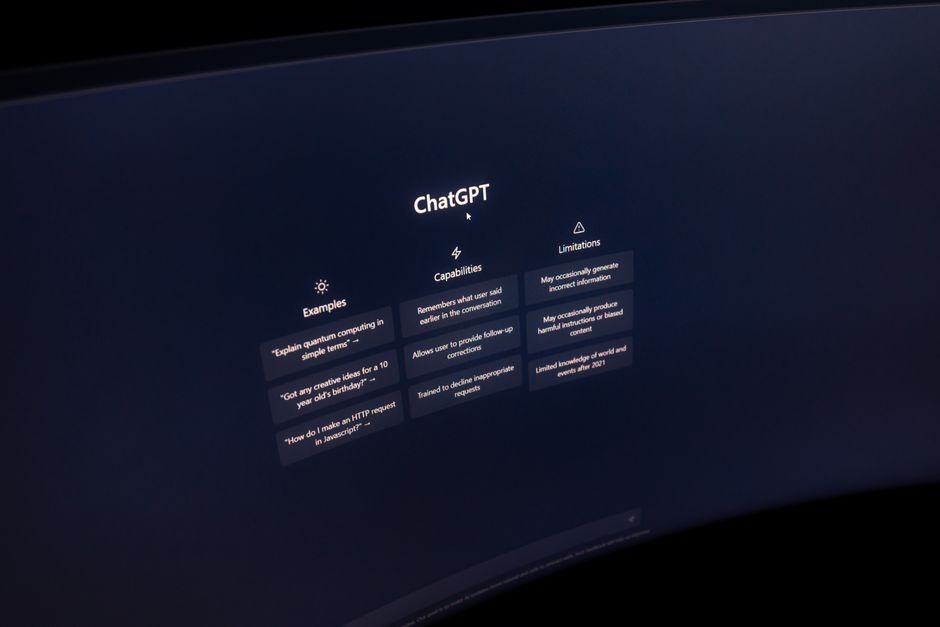
Comparing practical applications of system prompt control
To better understand how system prompts manifest in real-world applications, let’s examine how different platforms and tools leverage or extend this fundamental concept. Each offers varying degrees of control and integration, catering to different use cases and technical proficiencies.
| Tool | Where it helps | Key limitation | When to choose it |
|---|---|---|---|
| ChatGPT (Web Interface) | Guides conversational flow, sets persona, and enforces basic output rules for general use cases. Excellent for quick prototyping and user-friendly interaction. | Limited direct access to the underlying system prompt for advanced customization; relies on implicit prompt engineering. | For casual exploration, quick answers, or when a highly customized AI isn’t required. |
| OpenAI API (GPT-4, GPT-3.5) | Directly defines system messages for precise control over persona, tone, output format (e.g., JSON), and safety guardrails in custom applications. | Requires coding knowledge; system prompts alone cannot overcome core model limitations (e.g., factual accuracy without RAG). | For developers building custom AI applications where consistent behavior and specific output formats are critical. |
| Google Gemini API | Similar to OpenAI, offers robust system instruction capabilities for defining AI behavior, safety, and structured outputs across various modalities. | Performance and specific model characteristics may differ; still subject to inherent LLM limitations regarding deep knowledge and reasoning. | For developers integrating Google’s LLM capabilities into applications, especially those leveraging multimodal inputs. |
| Hugging Face Transformers (Open-source LLMs) | Provides full control over prompt construction, allowing deep customization of system messages and integration with fine-tuning or RAG for specialized tasks. | Requires significant technical expertise for deployment, optimization, and managing infrastructure. | For researchers, advanced developers, or organizations needing maximum control, privacy, and the ability to fine-tune models extensively. |
| LangChain / LlamaIndex | Frameworks that abstract system prompt management, often layering it with RAG, agents, and memory to build complex, context-aware applications. | Adds a layer of abstraction that can sometimes obscure direct prompt control; introduces framework-specific complexities. | For building sophisticated LLM applications that require advanced orchestration, external data retrieval, and multi-step reasoning. |
The practical takeaway for developers and users
For anyone working with chatbots, understanding the boundaries of system prompts is essential for effective and realistic application. System prompts are invaluable for shaping the surface-level behavior, persona, and output format of an LLM. They are your primary tool for guiding the model"s responses within a specific interaction context.
However, when you need the model to acquire new, deep knowledge, significantly improve its factual accuracy beyond its training, or fundamentally alter its reasoning capabilities, you must look beyond system prompts to architectural solutions like RAG, fine-tuning, or even selecting a different base model. Relying solely on system prompts for these deeper changes will likely lead to frustration and inconsistent results. Use system prompts to direct the model"s expression, but recognize that its core "mind" remains largely a product of its pre-training.




Leave a Comment