
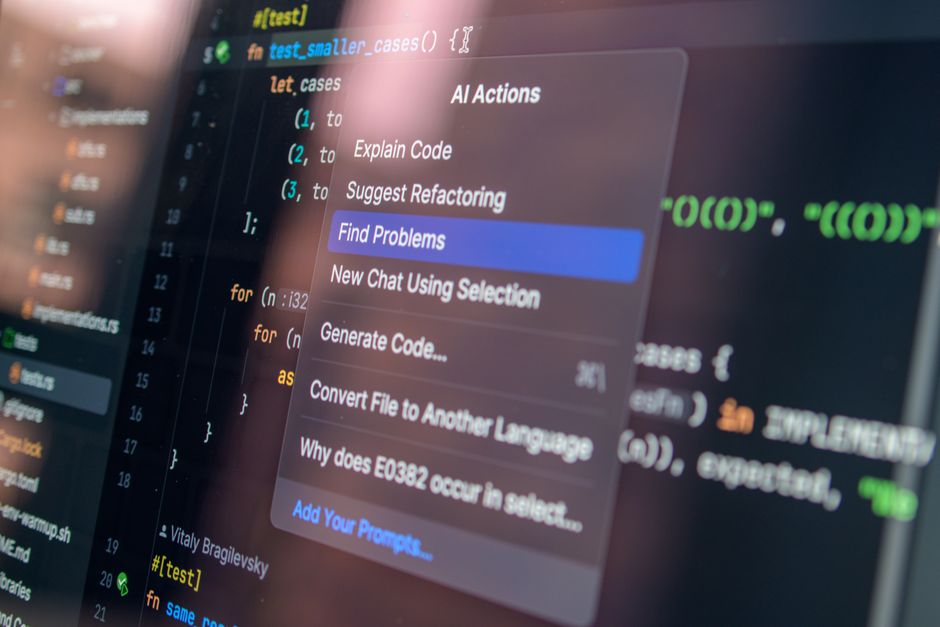

Vibe coding, the practice of generating code from a high-level concept or "vibe" using AI, offers a rapid path from idea to prototype. However, leveraging AI for code generation also introduces risks related to accuracy, security, and maintainability. This guide outlines a structured, safe approach to transform a conceptual prompt into a working prototype, emphasizing validation and security at each stage.
What is vibe coding and why use it?
Vibe coding refers to using generative AI to produce code based on a loose idea, a desired outcome, or a "vibe" rather than precise, detailed specifications. It's about translating an abstract concept into functional code quickly. The primary benefit is accelerated prototyping, allowing developers to explore ideas, test hypotheses, and build initial versions of applications much faster than traditional manual coding. This approach can be particularly useful for boilerplate code, exploring new libraries, or quickly standing up a proof-of-concept.
Step 1: Define your "vibe" with a clear prompt
The first step to safe vibe coding is to translate your abstract idea into a clear, actionable prompt for the AI. A vague prompt will lead to vague, potentially insecure, or incorrect code. Focus on specifying the desired functionality, the technology stack (e.g., Python, Node.js, React, specific libraries), and any key constraints or requirements. Think of it as providing guardrails for the AI's creativity.
- Be specific about intent: Instead of "make a web app," try "create a simple Flask web application that displays a list of items from a JSON file."
- Specify technologies: "Use Python 3.9, Flask, and Jinja2 for templating."
- Outline key features: "The app should have a homepage showing all items and a detail page for each item."
- Mention security considerations: "Ensure basic input validation for any user-facing forms."

Tools for AI-assisted Code Generation
While the core principles of vibe coding remain consistent, the specific tools you employ can significantly impact your workflow and the quality of the generated output. Understanding the strengths and limitations of popular platforms helps in choosing the right assistant for your project.
| Tool | Where it helps | Key limitation | When to choose it |
|---|---|---|---|
| GitHub Copilot | Autocompletes code, generates functions from comments, suggests tests. Integrates directly into IDEs for a smooth experience. | Relies heavily on context from open files; can sometimes generate verbose or less optimal code if the prompt isn’t precise. | For developers seeking real-time, in-IDE assistance with boilerplate, function generation, and test writing. |
| ChatGPT / Large Language Models (LLMs) | Generates entire code blocks, explains concepts, refactors code, debugs errors, and helps with architectural decisions. | Requires manual copy-pasting into an IDE; lacks direct integration with development environments, making iterative changes slower. | When you need comprehensive code generation, conceptual explanations, or assistance with complex problem-solving outside of your IDE. |
| Replit AI | Provides an AI chat assistant within the Replit IDE, offering code generation, debugging, and explanations directly in the browser-based environment. | Primarily focused on the Replit ecosystem; may not be ideal for projects requiring local development environments or specific enterprise integrations. | For rapid prototyping, learning new languages, or collaborative coding within a cloud-based IDE, especially for web development. |
| Tabnine | Offers private, secure code completion and generation, often trained on your team’s codebase, ensuring relevance and adherence to internal standards. | Can be more complex to set up and configure for private models; its suggestions are typically shorter than full function generation. | When code privacy is paramount, or you need an AI assistant that learns and adapts to your specific team’s coding patterns and internal libraries. |
Common Pitfalls and How to Avoid Them
Even with a structured approach, vibe coding can lead to common pitfalls that undermine its efficiency and safety. Recognizing these traps early can save significant time and effort, ensuring your AI-generated prototypes are robust and secure.
One frequent mistake is over-reliance on the AI’s initial output without critical evaluation. It’s easy to assume that because the AI produced code quickly, it must be correct or optimal. However, AI models, especially when given a high-level
Ensuring Data Privacy and Security in Vibe Coding
When using AI for code generation, especially with proprietary or sensitive project details, data privacy and security are paramount. The information you feed into the AI model, even as part of a prompt, can sometimes be retained or used for training purposes, potentially exposing confidential data. Therefore, it’s crucial to adopt practices that safeguard your intellectual property and sensitive information.
Before interacting with any AI tool, always consider the nature of the data you are providing. Avoid pasting entire sensitive codebases or confidential business logic directly into public AI chatbots. Instead, abstract the problem, generalize variable names, and remove any identifying information. For instance, if your prompt requires an example of a database schema, create a sanitized, generic version rather than using your production schema. This proactive approach helps anonymize documents before pasting them into a chatbot, significantly reducing the risk of data leakage.
Furthermore, if your organization has specific coding standards or a unique brand voice for comments and documentation, ensure your prompts guide the AI to adhere to these. While vibe coding encourages rapid prototyping, maintaining consistency from the outset can save refactoring time later. Consider establishing a clear framework for AI interactions, much like you would for human developers. This can include defining preferred libraries, architectural patterns, and even comment styles. Learning how to create a style guide for AI interactions ensures that even early prototypes align with your project’s long-term vision and maintainability standards.
Step 2: Generate initial code and review for obvious flaws
Once you have a solid prompt, feed it to your chosen AI code generation tool. The AI will produce an initial code draft. It's crucial to understand that this code is a starting point, not a final solution. Immediately review the generated code for:
- Syntactic correctness: Does it look like valid code in the specified language?
- Logical errors: Are there obvious flaws in the approach or algorithm?
- Security vulnerabilities: Does it use insecure defaults, hardcoded credentials, or common anti-patterns (e.g., SQL injection vulnerabilities, cross-site scripting risks)?
- Missing functionality: Did the AI miss any key requirements from your prompt?
Do not run the code at this stage without a thorough manual inspection. Treat it as a suggestion from a junior developer that needs careful oversight. For more on evaluating AI outputs, consider




Leave a Comment