


Pasting documents into an AI chatbot can significantly boost productivity, but it also carries a substantial risk: inadvertently sharing sensitive or confidential information. Anonymizing your documents before interacting with a chatbot is crucial to prevent data leakage, protect privacy, and maintain compliance with regulations like GDPR or HIPAA. This guide outlines practical methods and considerations for effectively redacting or removing sensitive data, ensuring you can leverage AI's power without compromising security.
Why anonymizing documents for chatbots is essential
When you input text into most public AI chatbots, that data is often processed and may be used to train future models, depending on the service provider's data usage policies. Even with enterprise-grade internal chatbots, there's a risk of unintended exposure or retention if not properly configured. Anonymization ensures that personally identifiable information (PII), proprietary data, or other confidential details are removed or obscured, mitigating these risks.
Ignoring this step can lead to severe consequences, including legal penalties, reputational damage, and loss of trust. It's a fundamental aspect of how to protect sensitive data when using AI, especially when dealing with external services.
Identify what data needs anonymization
Before you can anonymize a document, you need to know what constitutes "sensitive" information within your context. This can vary by industry, regulation, and the specific document. Common categories include:
- Personally Identifiable Information (PII): Names, addresses, phone numbers, email addresses, social security numbers, dates of birth, financial account numbers, medical records, employee IDs.
- Proprietary Business Information: Trade secrets, financial forecasts, unreleased product details, strategic plans, client lists, internal meeting minutes, intellectual property.
- Legal and Compliance Data: Contract terms, legal case details, regulatory filings, audit reports.
- Security-Related Information: Passwords, API keys, system configurations, network diagrams.
A thorough review of the document's content against these categories is the first critical step.
Manual anonymization techniques
For smaller, less complex documents, manual anonymization can be a reliable approach. This involves directly editing the document to remove or replace sensitive data.
1. Replace sensitive data with placeholders
Instead of deleting information entirely, replace it with generic placeholders. This preserves the document's structure and context while removing the sensitive details. For example:
- "Customer John Doe" becomes "Customer [Customer Name]"
- "Email: john.doe@example.com" becomes "Email: [Email Address]"
- "Project 'Alpha' launch date: Q3 2024" becomes "Project '[Project Name]' launch date: [Launch Date]"
This method is effective for maintaining readability and ensuring the chatbot can still process the document's core information.
2. Redact text directly in document editors
Many word processors and PDF editors offer redaction tools. These tools don't just black out text; they permanently remove it from the document's underlying data layer, preventing it from being copied or searched. Always use a dedicated redaction feature, not just a black highlight, which can often be bypassed.
- For PDFs: Adobe Acrobat Pro and similar tools have "Redact" features. Select the text or areas to redact, apply the redaction, and then save a *new* copy of the document.
- For Word documents: While Word doesn't have a direct "redact" feature like PDFs, you can use "Inspect Document" to remove personal information and then manually replace sensitive text with placeholders or "[REDACTED]" markers.

3. Copy-paste specific sections only
If only a small portion of a document is relevant to your chatbot query, copy and paste only those specific, non-sensitive paragraphs or sentences. Avoid pasting the entire document if most of it is irrelevant or contains sensitive data you don't need the chatbot to process.
Automated anonymization tools and techniques
For larger volumes of documents or more complex data types, manual anonymization becomes impractical. Automated tools can help, but they require careful configuration and validation.
1. Dedicated data anonymization software
Several commercial and open-source tools specialize in data anonymization. These often use Natural Language Processing (NLP) to identify and redact PII or other sensitive entities. Features can include:
- Named Entity Recognition (NER): Automatically identifies entities like names, organizations, locations, and dates.
- Pattern Matching: Detects patterns like email addresses, phone numbers, or credit card numbers.
- Tokenization and Masking: Replaces identified sensitive data with generic tokens or masks parts of the data (e.g., "XXXX-XXXX-XXXX-1234").
When using such tools, always review their output to ensure accuracy. No automated tool is 100% foolproof, and "false negatives" (missed sensitive data) or "false positives" (incorrectly anonymized non-sensitive data) can occur.
2. Custom scripts for structured data
If your documents are semi-structured (e.g., JSON, CSV, XML), you can write custom scripts (e.g., in Python) to parse the data and apply anonymization rules. This is particularly useful for programmatic workflows or when dealing with specific, predictable data formats.
import redef anonymize_text(text): # Anonymize email addresses text = re.sub(r'[A-Za-z0-9._%+-]+@[A-Za-z0-9.-]+\.[A-Z|a-z]{2,}', '[EMAIL]', text) # Anonymize phone numbers (simple example) text = re.sub(r'\b\d{3}[-. ]?\d{3}[-. ]?\d{4}\b', '[PHONE]', text) # Anonymize names (more complex, requires a list or NER) # For demonstration, let's assume a simple replacement text = text.replace('John Doe', '[PERSON_NAME]') return textoriginal_doc = """Contact: John Doe, john.doe@example.com, Phone: 555-123-4567. Meeting notes for Project Alpha."""anonymized_doc = anonymize_text(original_doc)print(anonymized_doc)Best practices for chatbot interaction
Beyond anonymization, consider these practices for secure chatbot usage:
1. Understand the chatbot's data policy
Before using any chatbot, especially for work-related tasks, thoroughly read its terms of service and data privacy policy. Understand how your input data is used, stored, and if it contributes to model training. Opt out of data sharing for model training if possible.
For internal company chatbots, ensure your IT or security team has approved its use and configured it with appropriate data governance controls. This includes understanding how to understand AI data usage policies.
2. Use local or on-premise models when possible
For highly sensitive data, consider using local Large Language Models (LLMs) that run entirely on your own hardware or within your private cloud environment. Tools like LM Studio or Ollama allow you to run models without sending data to external servers, offering the highest level of data control.
3. Break down complex queries
Instead of pasting an entire document and asking a broad question, break your query into smaller, focused questions. This allows you to paste only the absolutely necessary, anonymized snippets of information for each specific question, minimizing exposure.
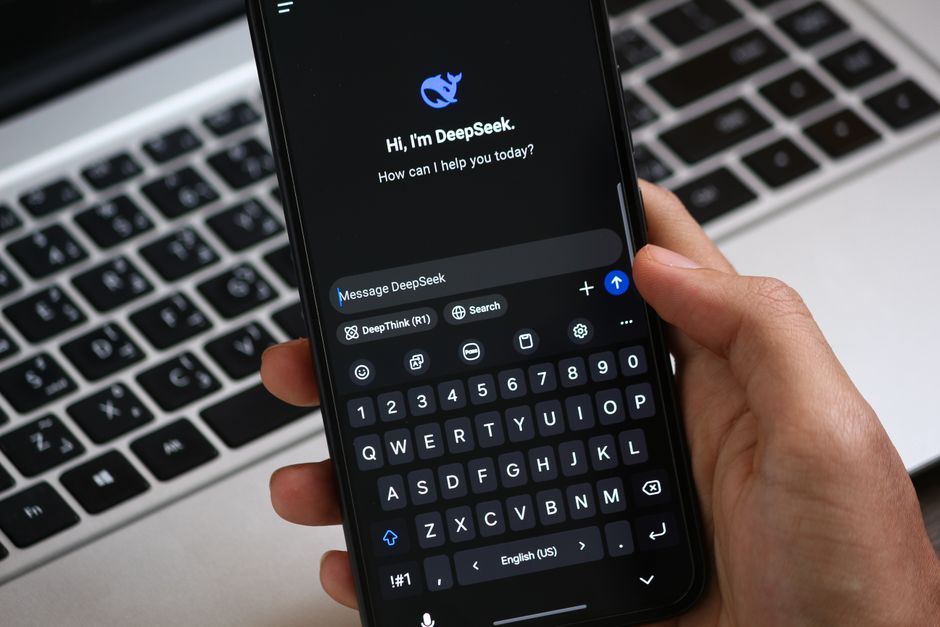
4. Double-check before pasting
Always perform a final visual check of the text you are about to paste. Even with automated tools, a quick human review can catch errors or missed sensitive information. This "human in the loop" step is critical for maintaining data integrity and security.
The practical takeaway
Anonymizing documents before pasting them into a chatbot is a non-negotiable step for anyone handling sensitive information. Start by clearly identifying what data is sensitive, then choose the appropriate method — manual redaction for smaller tasks or automated tools for larger volumes. Always verify the anonymized output, understand the chatbot's data policies, and consider local models for maximum security. By integrating these practices into your workflow, you can confidently leverage AI's capabilities while safeguarding your valuable data.



2 Comments