


The meeting notes dilemma: From discussion to action
Meetings are essential for collaboration, but what happens after the discussion ends? Often, valuable insights, decisions, and action items get buried in lengthy notes, forgotten, or simply never translated into concrete tasks. This common challenge can lead to missed deadlines, duplicated efforts, and a general sense of inefficiency. But what if there was a way to automatically transform those raw meeting notes into an organized, actionable task list?
Enter artificial intelligence. AI is rapidly changing how we manage information, and one of its most powerful applications is in streamlining workflows. For anyone who regularly attends meetings, AI offers a revolutionary solution to ensure every important takeaway becomes a tangible task. 
Why traditional note-taking falls short
For decades, we’ve relied on manual note-taking, whether with pen and paper or digital documents. While effective for capturing information, this method often creates a bottleneck when it comes to task extraction. Here’s why:
- Information overload: Long meetings generate vast amounts of text, making it hard to pinpoint key action items.
- Lack of structure: Notes are often free-form, lacking the clear categorization needed for task management.
- Time-consuming: Manually sifting through notes to identify, categorize, and assign tasks is a tedious and time-intensive process.
- Human error: Important details can be easily overlooked or misinterpreted during manual review.
These challenges highlight the need for a more intelligent approach, one that can cut through the noise and deliver actionable insights directly from your meeting records. 
How AI transforms meeting notes into actionable tasks
AI-powered tools leverage natural language processing (NLP) and machine learning to understand the context and content of your meeting notes. They can identify specific phrases, keywords, and structures that indicate a task, a decision, or a follow-up action. Here’s a simplified breakdown of the process:
- Transcription (optional but recommended): If your meeting is recorded, AI can transcribe the audio into text, providing a comprehensive written record.
- Semantic analysis: The AI reads through the text, understanding the meaning and relationships between words and sentences.
- Intent recognition: It identifies phrases that imply an action, such as “we need to,” “someone will,” “let’s follow up on,” or direct assignments.
- Entity extraction: The AI can pinpoint specific entities like names (for assignees), dates (for deadlines), and topics (for task categorization).
- Task generation: Based on its analysis, the AI generates a structured list of potential tasks, often including suggested assignees and due dates.
This automated process significantly reduces the manual effort required, allowing you to focus on executing tasks rather than just finding them. 
Step-by-step guide: Using AI for task extraction
Ready to supercharge your post-meeting workflow? Here’s how to integrate AI into your routine:
1. Choose the right AI tool
Many tools are emerging in this space, from dedicated meeting AI assistants to broader productivity platforms with AI capabilities. Look for tools that offer:
- Integration with your existing calendar and communication apps (e.g., Zoom, Google Meet, Microsoft Teams).
- Robust transcription services (if needed).
- Customizable task extraction rules.
- Integration with popular task management systems (e.g., Asana, Trello, Monday.com, Notion).
- Strong privacy and security features.
Examples include tools like Otter.ai, Fathom, Fireflies.ai, or even advanced features within Notion AI or ChatGPT with specific prompts. 
2. Input your meeting notes
Depending on your chosen tool, you’ll either:
- Upload a text file of your notes.
- Paste the meeting transcript directly.
- Connect the AI tool to your live meeting for real-time transcription and analysis.
For best results, ensure your notes are as clear and comprehensive as possible. Even bullet points or brief sentences can be effective if they clearly state actions. 
3. Review and refine AI-generated tasks
AI is powerful, but it’s not perfect. Always review the generated task list. You might need to:
- Adjust task wording for clarity.
- Correctly assign tasks to individuals.
- Set or modify due dates.
- Merge similar tasks or split complex ones.
- Add context that the AI might have missed.
Think of the AI as a highly efficient assistant that provides a strong first draft, which you then finalize. 
4. Integrate with your task management system
The real magic happens when these AI-generated tasks seamlessly flow into your preferred task manager. Most advanced AI tools offer direct integrations, allowing you to export tasks with a click. This ensures that tasks are not just identified but also become part of your ongoing workflow, complete with notifications and progress tracking. 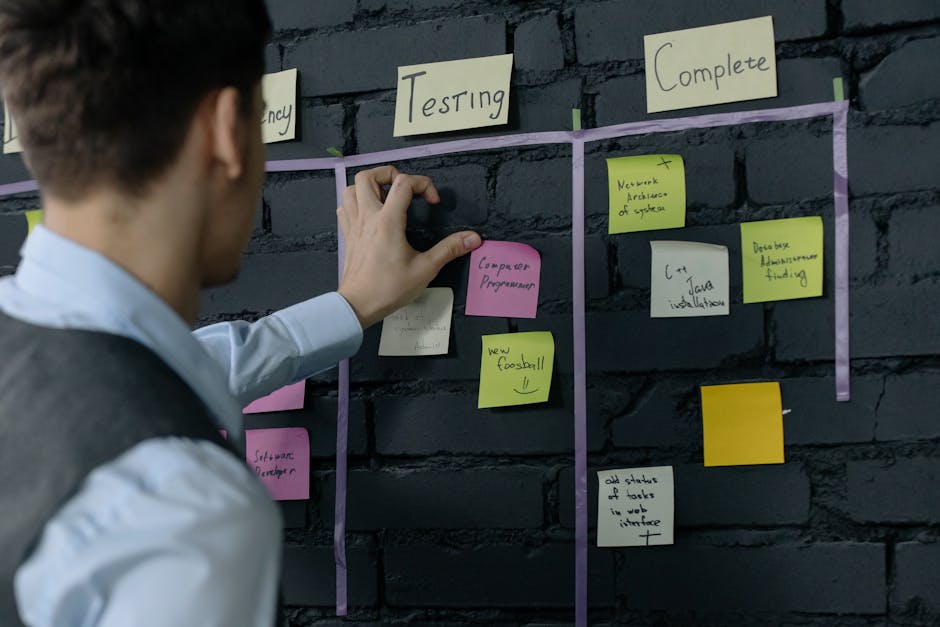
Key features to look for in an AI tool
When evaluating AI solutions for meeting notes, consider these capabilities:
- Speaker identification: Crucial for assigning tasks accurately.
- Action item detection: The core functionality – how well it identifies tasks.
- Summary generation: Beyond tasks, a good AI can provide concise meeting summaries.
- Customizable templates: For different meeting types (e.g., stand-ups, brainstorming, client calls).
- Searchability: The ability to quickly find past discussions or decisions.
- Collaboration features: Allowing teams to review and edit tasks together.
Benefits beyond task creation
Using AI for meeting notes offers advantages that extend beyond just generating tasks:
- Increased accountability: Clear tasks with assignees make it harder for items to fall through the cracks.
- Improved productivity: Less time spent on administrative tasks means more time for actual work.
- Enhanced decision-making: AI can highlight key decisions and their rationale, providing a clear record.
- Better meeting efficiency: Knowing notes will be processed automatically can encourage more focused discussions.
- Historical record: A searchable database of meeting outcomes provides valuable context for future projects.
By automating the mundane, AI frees up human intelligence for more strategic thinking and problem-solving. 
Practical tips for maximizing AI’s potential
- Speak clearly: If using transcription, ensure participants speak clearly to improve accuracy.
- Use action verbs: Encourage meeting participants to phrase actions explicitly (e.g., “John will send the report” instead of “The report needs sending”).
- Define roles: Clearly state who is responsible for what during the meeting.
- Regularly review: Make reviewing AI-generated tasks a standard part of your post-meeting routine.
- Provide feedback: If your AI tool has a feedback mechanism, use it to help the model learn and improve its accuracy over time.
Embracing an AI-powered workflow
The days of sifting through pages of handwritten notes or endless digital documents to find actionable items are quickly becoming a relic of the past. AI offers a powerful, intelligent assistant that transforms the often-dreaded task of meeting follow-up into a seamless, efficient process. By integrating AI into your workflow, you’re not just saving time; you’re ensuring that every valuable discussion translates into tangible progress, driving productivity and accountability across your team. It’s time to let AI do the heavy lifting, so you can focus on what truly matters: getting things done.


Leave a Comment