
Choosing the right paid AI assistant for a small team—whether it's ChatGPT, Claude, or Gemini—requires more than just comparing feature lists. The best choice depends heavily on your team's specific workflows, the types of tasks you need AI for, and critical considerations like data privacy and cost. Before committing to a subscription, a structured evaluation process can help you identify which platform offers the most practical value and best fits your operational needs.
Define your team's core AI use cases
Before evaluating any tool, clearly articulate the primary tasks your small team expects an AI assistant to handle. This isn't about generic "boosting productivity" but identifying concrete, repeatable workflows where AI can genuinely add value. For instance, a marketing team might prioritize content generation and summarization, while a development team might focus on code assistance and debugging.
- Content creation: Drafting marketing copy, blog posts, social media updates, or internal communications.
- Data analysis and summarization: Extracting key insights from long documents, summarizing research papers, or condensing meeting transcripts.
- Code generation and debugging: Writing boilerplate code, suggesting improvements, or identifying errors in existing codebases.
- Customer support: Drafting responses to common customer queries or creating internal knowledge base articles.
- Research and ideation: Brainstorming new ideas, exploring complex topics, or synthesizing information from various sources.
Without a clear understanding of these specific use cases, it's easy to be swayed by features that sound impressive but don't align with your team's actual needs.
Assessing Integration and Workflow Compatibility
Beyond raw performance on specific tasks, a crucial, yet often overlooked, decision criterion is how smoothly each AI assistant integrates into your team’s existing workflows and technology stack. An AI tool, however powerful, becomes a bottleneck if it requires significant manual effort to transfer information or if its outputs are not easily consumable by other applications. Consider whether the platform offers browser extensions, desktop applications, or API access that can streamline interactions. For instance, if your team heavily relies on a specific project management tool or CRM, investigate if any of the AI assistants have direct integrations or if there are third-party connectors that can facilitate data exchange. The goal is to minimize context switching and manual copy-pasting, which can quickly erode any productivity gains. A truly effective AI assistant should feel like an extension of your team’s capabilities, not an isolated silo requiring constant manual intervention.
Furthermore, evaluate the ease with which team members can collaborate within the AI environment or share AI-generated content. Some platforms offer shared workspaces, conversation histories, or the ability to assign prompts and review outputs, which can be invaluable for teams working on joint projects. The learning curve for new users is also a significant factor; a complex interface or an unintuitive prompting mechanism can hinder adoption, regardless of the underlying model’s sophistication. For content-heavy teams, the ability to maintain a consistent tone and style across multiple AI-generated drafts is paramount. This often involves more than just good prompting; it requires a systematic approach to guiding the AI. To ensure your AI drafts consistently reflect your brand’s identity, consider developing a robust framework. You might find guidance on how to create a style guide particularly useful for this purpose, ensuring brand voice consistency.
Navigating Data Privacy, Security, and Ethical Use
For any small team, the security of sensitive information is non-negotiable, and the use of AI assistants introduces new layers of consideration. Before committing to a paid subscription, thoroughly understand each platform’s data retention policies, encryption standards, and how they handle user inputs. Does the provider use your team’s data to train its models? Are there options for enterprise-grade privacy, such as dedicated instances or data isolation? These questions are critical, especially if your team handles client data, proprietary information, or adheres to specific regulatory compliance standards like GDPR or HIPAA. A common mistake is assuming all paid tiers offer the same level of data protection; always read the fine print or consult with the provider’s sales team directly about your specific security concerns.
Beyond technical security, consider the ethical implications of using AI in your specific context. This includes the potential for bias in AI outputs, the risk of generating inaccurate or misleading information (hallucinations), and the responsible use of AI for tasks that might have significant human impact. For instance, if your team uses AI for research, understanding how to spot a hallucinated citation becomes an essential skill. Establishing clear internal guidelines for AI use, including what types of information can be shared with an AI and how AI-generated content should be reviewed and verified, is paramount. This proactive approach helps mitigate risks and ensures that your team leverages AI responsibly and ethically, safeguarding both your data and your reputation. The chosen AI assistant should ideally offer transparency regarding its capabilities and limitations, empowering your team to make informed decisions about its application.
Evaluate each assistant's performance on your specific tasks
Once you have identified your core use cases, the next step is to test each AI assistant against them using real-world examples. Most platforms offer free tiers or trials that allow for this kind of hands-on evaluation. Focus on qualitative aspects like output quality, relevance, coherence, and adherence to instructions, rather than just speed.
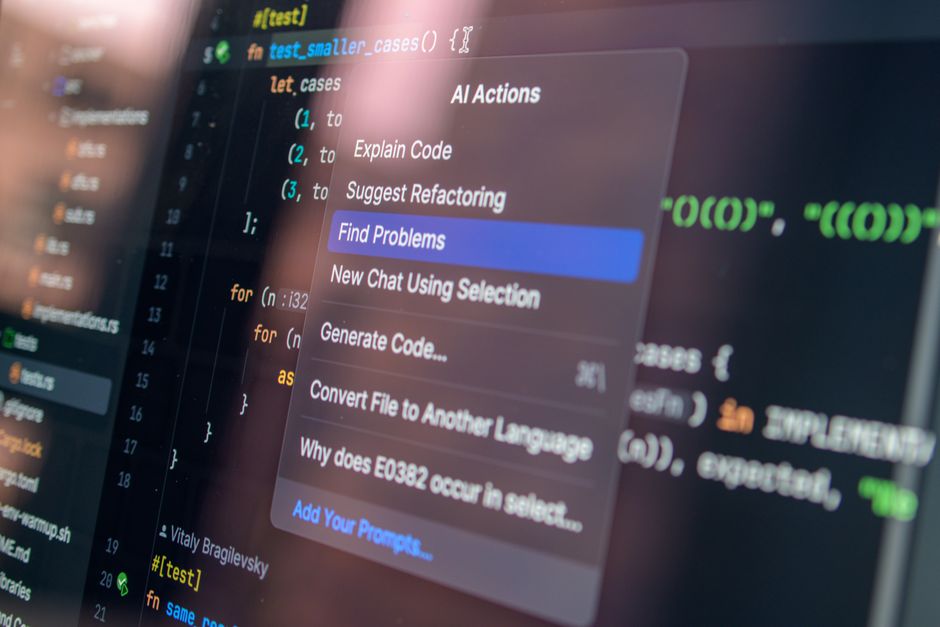
For content creation, assess how well each model maintains your brand voice and style. For coding, check the accuracy and efficiency of generated code. For summarization, verify that critical details are not omitted and that the summary is concise and accurate. This practical testing is far more valuable than relying on general benchmarks, as model performance can vary significantly across different types of tasks and domains.
Consider creating a small set of "benchmark prompts" that represent your team's most common and critical tasks. Run these prompts through ChatGPT, Claude, and Gemini, then have team members independently review the outputs. This allows for a direct, apples-to-apples comparison based on your specific requirements. For guidance on creating effective prompts, you might find




Leave a Comment